Preview any sample without opening your DAW
Waveform previews, multi-library management, and linked project tracking. Click a sample, see the waveform, hear it instantly.
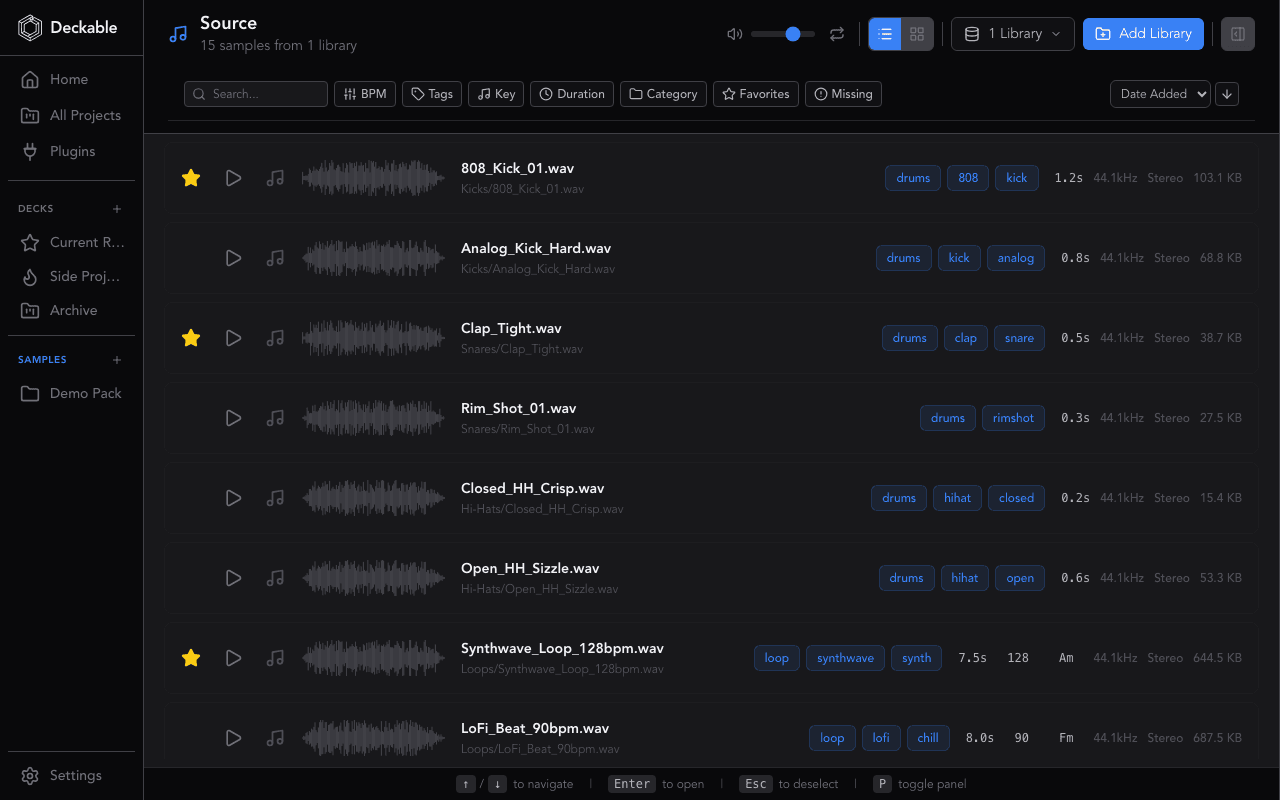
TL;DR: Browse every sample library on your machine in one view. Click a sample, see the waveform, hear it instantly — no DAW required. See which projects use each sample and which samples each project uses.
The scattered samples problem
Sample packs pile up across downloads folders, external drives, and DAW-specific directories. Finding a specific kick or texture means opening multiple folders and auditioning files blindly. Deckable puts every library in one searchable view.
Click, see the waveform, hear it
Click any sample to see its waveform and hear it immediately. Pure-Rust audio decoding with hash-based caching means previews load instantly, even on large libraries. No DAW required.
Multi-library management
Add multiple sample libraries from the sidebar and scan them independently. Organize packs by source, genre, or project. Filter by library to narrow results, then search by name to find exactly what you need.
See where every sample lives
Deckable shows which projects use each sample and which samples appear in each project. Click through from the sample detail panel to see every session referencing that file. No more guessing where you used a particular loop or one-shot.
Why use Deckable's Sample Browser?
- Waveform preview with instant playback — click a sample, hear it
- Manage multiple sample libraries from the sidebar, each scanned independently
- Search by name, filter by library and file type, get results instantly
- See which sessions use each sample with linked project tracking
- Browse, preview, and organize your sounds without opening your DAW
Learn more
All Features
Explore all 119 features across projects, samples, plugins, and sessions.
Kanban Board
A visual pipeline for every track in your catalog.
Plugin Manager
See every plugin you own, which projects use them, and what is missing.
Deckable for Ableton Live
See how Deckable organizes your .als projects.
Deckable for FL Studio
See how Deckable organizes your .flp projects.
Deckable vs Manual Methods
Why dedicated project management beats folders and spreadsheets.
Sample Browser FAQ
WAV, AIFF, MP3, FLAC, and OGG. Waveforms are generated with hash-based caching, so previews load instantly even on large libraries.
Click any sample to see its waveform in a detail panel. Playback starts immediately so you can audition sounds without opening your DAW. Waveform data is cached after the first render for instant loading on repeat views.
Yes. Add library folders from the sidebar and scan them independently. Organize packs by source, genre, or any folder structure you want, then filter by library when searching.
Yes. The linked samples feature shows every project that references a given sample. Click through from the sample detail panel to see the full list of sessions using that file.
The sample browser itself works the same regardless of DAW. However, linked sample tracking depends on how each DAW stores sample references in its project files. Deckable parses sample paths from all 8 supported DAW formats.
Ready to organize your projects?
Free for 14 days. Every feature included. No credit card.
Deckable is a desktop app for macOS and Windows.
Send yourself a download reminder for when you're at your desk.
Yours free for 14 days,No credit card,Your music stays on your machine