Know every plugin across every project
Scans your system for VST, VST3, AU, and CLAP plugins, tracks usage across all your sessions, catches missing plugins before you open the project, and exports your full inventory as CSV.
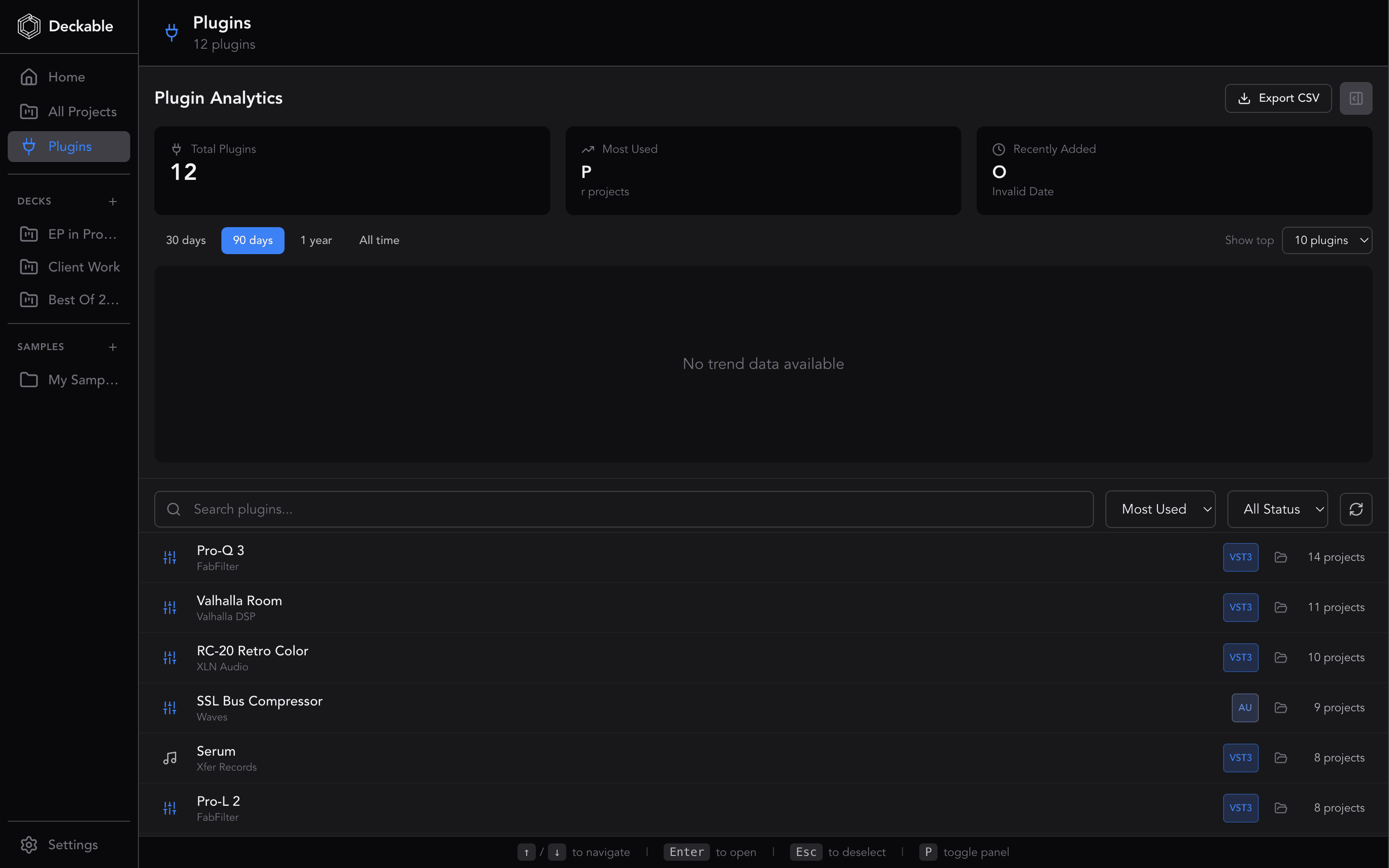
TL;DR: Deckable scans your system for every VST3 and AU plugin, tracks which projects use each one, and catches missing plugins before you open a session. Export your full inventory as CSV.
The plugin chaos problem
You accumulate hundreds of plugins across purchases, bundles, and free downloads. Then you open an old session and a plugin is missing. Which version did you use? Is it still installed? Deckable tracks every plugin across every project so you know before you open the session.
Automatic scanning of VST, VST3, AU, and CLAP
Deckable scans your system for every VST, VST3, AU, and CLAP plugin installed and cross-references them with what your projects actually use. The plugin scanner runs automatically so your inventory stays current without manual cataloging.
Find what’s used, what’s not, and what’s missing
See how many projects reference each plugin with usage counts and trend tracking. Spot plugins you installed but never use. Catch missing plugins before you open a session — if a project references a plugin that’s not on your system, Deckable flags it.
Export and normalization
Export your complete plugin inventory as CSV for backup, sharing, or insurance documentation. Intelligent name normalization merges plugin variants like "Serum" and "Serum_x64" into a single entry so your counts are accurate.
Why use Deckable's Plugin Manager?
- Auto-detects every VST, VST3, AU, and CLAP plugin on your system
- Usage counts show which plugins you actually use the most
- Missing plugin alerts before you open a session — no more guesswork
- Name normalization merges variants like "Serum" and "Serum_x64" into one entry
- Export your full plugin inventory as CSV for backup or sharing
Learn more
All Features
Explore all 119 features across projects, samples, plugins, and sessions.
Kanban Board
A visual pipeline for every track in your catalog.
Sample Browser
Browse, preview, and find sounds across your entire library without opening your DAW.
Deckable for Ableton Live
See how Deckable organizes your .als projects.
Deckable for FL Studio
See how Deckable organizes your .flp projects.
Alternatives Compared
How Deckable compares to dBdone, SessionDock, MAKID, and more.
Plugin Manager FAQ
Yes. The plugin scanner auto-detects every VST3 and AU plugin on your system and cross-references them against what your projects actually use. Scans run automatically to keep your inventory current.
Deckable compares plugins referenced in your project files against what’s installed on your system. If a project references a plugin that isn’t found locally, it gets flagged as missing — so you know before you open the session.
Yes. The plugin detail panel shows a list of every project that uses a given plugin, along with total usage counts and trend tracking. This helps you understand which plugins are essential and which are collecting dust.
Yes. Export your complete plugin inventory as CSV — useful for backup, insurance documentation, or sharing your setup with collaborators.
Plugins often appear under variant names like "Serum" and "Serum_x64" or different manufacturer strings. Deckable merges these variants into single entries so your usage counts and inventory stay accurate.
Ready to organize your projects?
Free for 14 days. Every feature included. No credit card.
Deckable is a desktop app for macOS and Windows.
Send yourself a download reminder for when you're at your desk.
Yours free for 14 days,No credit card,Your music stays on your machine